Dunkin’ Donuts App: 9 Features, Rewards & Hidden Perks (2026 Guide)
Ever stood in a Dunkin’ line watching the clock instead of your coffee? That’s the exact problem the Dunkin’ Donuts app was built to solve, and most people only end up using a fraction of what it can actually do.
Most guides online just tell you to download it and call it a day. We dug into every corner of the app — rewards math, payment options, delivery integration, even the login glitches — so you don’t have to guess. By the end of this guide, you’ll know exactly how to get the most out of the Dunkin’ Donuts app, from your first order to your next free coffee.
What the Dunkin’ Donuts App Actually Does
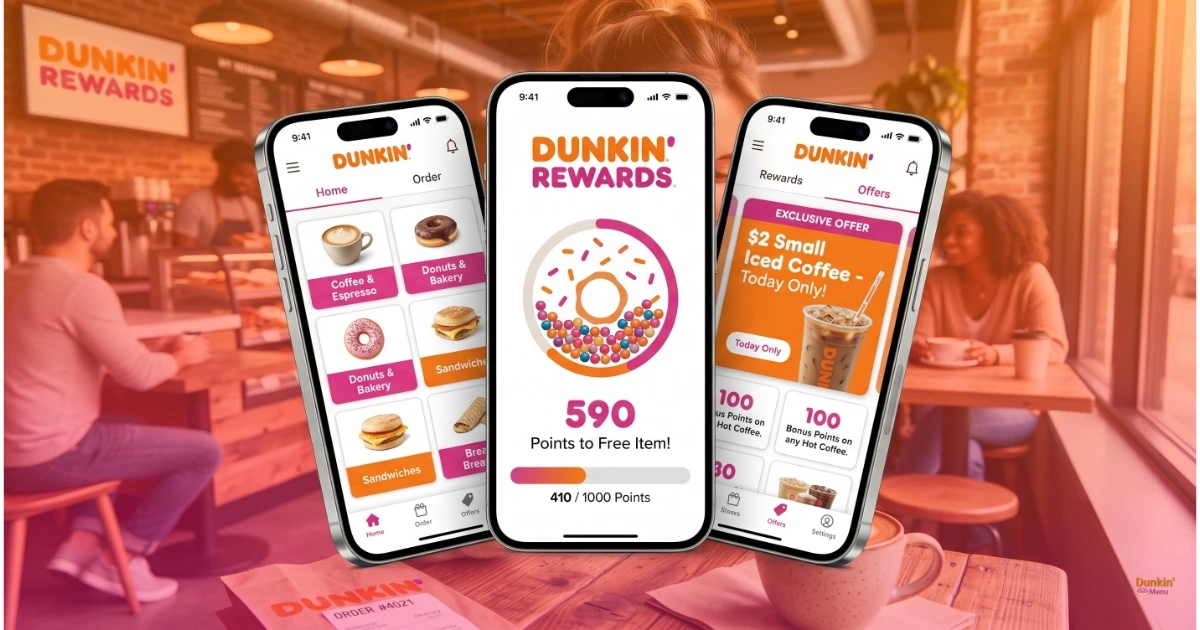
At its core, the Dunkin’ Donuts app is a mobile ordering, payment, and rewards hub rolled into one. You can order ahead and skip the line, pay with your phone, track your Dunkin’ Rewards points, and grab app-only deals you won’t find in store.
It’s not just a digital menu, either. The app remembers your favorite orders, lets you customize drinks in thousands of ways, and even lets you send a Dunkin’ gift card to a friend without leaving your couch. If you’ve only ever used it to browse the Dunkin’ menu, you’re leaving free coffee on the table.
How to Download and Set Up the Dunkin’ App
Getting started takes about five minutes. The app is free on both the App Store and Google Play, and it runs smoothly on most phones released in the last several years.
If you’re on an iPhone, search “Dunkin'” in the App Store. Android users will find the same app under the Google Play listing. Once it’s installed, open it and choose to sign up for Dunkin’ Rewards or continue as a guest.
Guest Ordering vs. Dunkin’ Rewards Sign-Up
Guest ordering lets you place a mobile order without creating an account, which is handy if you just want fast, contactless pickup. But guests don’t earn points, and they miss out on app-exclusive offers entirely.
Signing up takes an email, a password, and a phone number. It’s worth the extra ninety seconds, because every dollar you spend as a guest is a dollar that earns you nothing back.
While guest ordering works for quick pickups, using the Dunkin’ Donuts App with a registered account is the only way to earn rewards points.
Dunkin’ Rewards Explained: How You Actually Earn Free Food
This is where most people get confused, so let’s break it down plainly. Every time you pay with an enrolled Dunkin’ Card, Apple Pay, Google Pay, or even cash while scanning your Rewards ID, you earn points. Those points convert into free food and drinks once you hit certain thresholds.
Members with Boosted Status earn points faster, and the app shows your running total after every single purchase, so you always know how close you are to your next reward.
Rewards members also get a birthday bonus — see how the birthday reward works.
Here’s what your points actually turn into, tier by tier — updated for Dunkin’s October 2025 points restructuring, which is still in effect in 2026:
Points | What You Can Redeem |
|---|---|
150 | Munchkins (3-ct) or hash browns |
300 | Classic donut |
400 | Bakery treat (e.g., muffin) |
600 | Hot or iced coffee/tea, any size |
800 | Refreshers, hot chocolate & other non-coffee drinks |
900 | Breakfast sandwich |
950 | Specialty coffee & frozen drinks (incl. cold brew) |
Sources: redemption tiers per 2026 program guides documenting Dunkin’s October 2025 restructuring (including the official September 2026 program announcements); earn rates, Boosted Status, and expiry rules per Dunkin’s official Rewards terms (updated October 2025). Dunkin’ lists exact tier values in the in-app Reward Catalog — tiers can change, so double-check current values in the app before planning around them.
Boosted Status: Earn 12 Points per $1
Visit a Dunkin’ 12 times in a single calendar month and you unlock Boosted Status: your earn rate jumps from 10 to 12 points per $1 for the next 3 months. Combine that with the birthday 3X points bonus and a single birthday-day order can stack points fast.
How to Get the Most From Your Points
- Redeem small and often. The 150-point tier (Munchkins or hash browns) gives you the best value per point — don’t hoard points waiting for one big redemption.
- Watch the calendar. Points expire 12 months after the month they’re earned, and converted rewards expire after 30 days — use them before they vanish.
- Stack with offers. Check the app’s Offers tab before redeeming — bonus-point promotions and the monthly deals multiply what every dollar earns.
App-Exclusive Deals and Real Promo Codes
Here’s something a lot of coupon sites won’t tell you straight: Dunkin’ doesn’t run much of a traditional promo-code system. Most of the real savings live inside the app itself, in the “Offers” tab, not on some third-party coupon page.
Those in-app deals are often location-based and tied to your order history, which is why two people can open the app and see completely different offers. Our take, after digging through dozens of “Dunkin’ promo code” listings, is that most public codes online are either expired, region-locked, or simply recycled app-only offers with no real code attached. If you want reliable savings, enable location permissions and push notifications, then check the Offers tab directly instead of hunting external coupon sites.
Ordering, Customization, and Paying With Your Phone
Placing an order ahead is simple: pick your store, build your order, and choose pickup at the counter, drive-thru, or curbside where it’s available. You can customize almost anything, with over 14,000 possible combinations of size, flavor, and add-ins.
Once you’ve built the perfect order, save it as a favorite so reordering takes one tap next time. For payment, the app accepts a stored Dunkin’ Card, Apple Pay, and Google Pay, and you can set up auto-reload so your card never runs dry mid-order.
Dunkin’ App vs. Delivery Apps: Which One Should You Use?
If you’re craving Dunkin’ but don’t want to leave the house, you’ve got two very different paths, and they don’t work the same way.
Feature | Dunkin’ App | Delivery Apps (DoorDash, Uber Eats, Grubhub) |
|---|---|---|
Earns Dunkin’ Rewards points | Yes | No |
Pickup only or delivery | Pickup (in-store, drive-thru, curbside) | Delivery to your door |
Menu pricing | Standard in-store pricing | Often marked up, plus delivery fees |
Redeem app-exclusive offers | Yes | No |
Source: Competitor data cross-referenced across delivery platforms for consistency; exact delivery markups vary by market and are estimated, not officially published by Dunkin’.
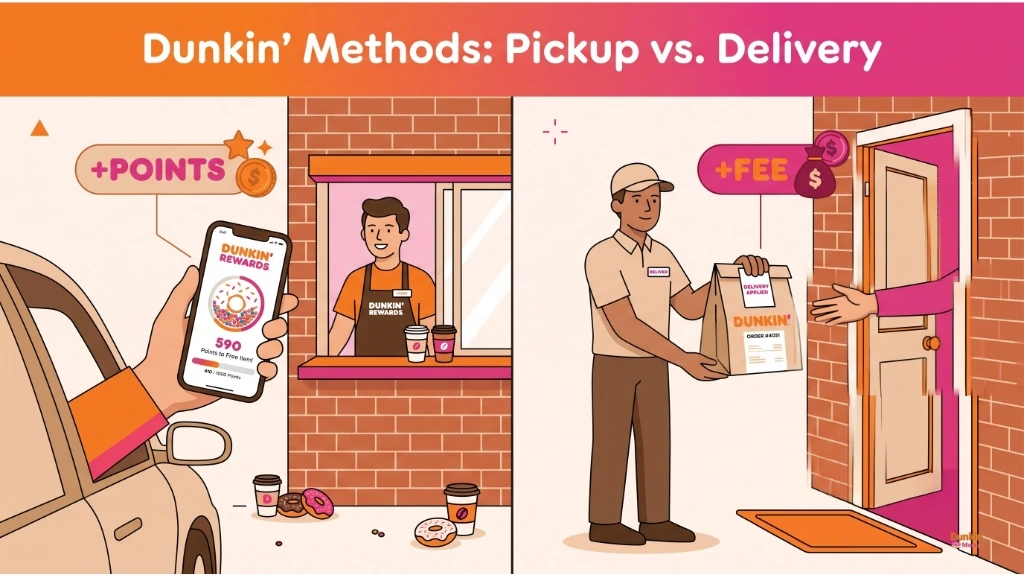
If saving money and earning points matters more than convenience, order through the Dunkin’ app and pick it up yourself. If you truly can’t leave the house, delivery apps get it to your door, but expect to pay more for the privilege.
Common Problems and Is the App Safe to Use?
Like any app, the Dunkin’ app hits occasional snags, especially during rush hour when everyone’s ordering coffee at once. If orders won’t submit or rewards points seem stuck, try closing and reopening the app, checking your connection, or updating to the latest version before assuming something’s broken.
On safety, the app encrypts your payment information and account details, the same way most major retail apps do. We haven’t seen credible reports of the Dunkin’ app being unsafe to use for ordering or storing card details, but as always, use a unique password and don’t reuse one from another account.
Frequently Asked Questions
Why won’t the Dunkin’ Donuts app work?
Most connection issues clear up after restarting the app, checking your internet, or updating to the latest version. Heavy traffic during morning rush hours can also cause temporary slowdowns.
Is the Dunkin’ Donuts app safe to use?
Yes. It encrypts payment and account information similarly to other major retail apps, and there’s no widespread evidence of it being unsafe for everyday use.
Does the Dunkin’ app have exclusive coupons or deals?
Yes, the “Offers” tab shows app-only deals tied to your location and order history, which is usually more reliable than codes found on third-party coupon sites.
How do I download the Dunkin’ Donuts app for Android?
Search “Dunkin'” on the Google Play Store and tap install. It’s free and takes just a few minutes to set up.
Can I use the Dunkin’ app for delivery?
The app itself handles pickup orders only. For delivery, you’ll need a separate platform like DoorDash, Uber Eats, or Grubhub, and you won’t earn Dunkin’ Rewards points on those orders.
Is the Dunkin’ job application the same as the ordering app?
No. The ordering app is strictly for mobile orders, payments, and rewards. Job applications go through Dunkin’s separate careers site, not the consumer app.
Our Take: Is the Dunkin’ Donuts App Worth It?
If you’re a regular, downloading the app is a no-brainer. Skipping the line, stacking free rewards, and catching app-only deals adds up fast, especially compared to guest ordering or paying with plain cash.
Where it falls short is delivery and public promo codes, so don’t expect much beyond the Offers tab if you’re chasing discount codes online. Set up your account, turn on notifications, and check the Offers tab before your next run. That’s honestly the difference between casually using the app and actually getting your money’s worth from it.
Mastering the Dunkin’ Donuts App takes less than five minutes and guarantees you never pay full price for your morning coffee run again.
Last reviewed: October 2026